Learn the logic.Wire the panel.Run it.
Mantığı öğren.Panoyu kur.Çalıştır.
PLCForge makes two apps for people who work with industrial automation, or are training to. One teaches ladder logic from the first contact. The other gives you a full bench: power, protection, a PLC, an HMI and the machine it controls.
PLCForge, endüstriyel otomasyonla çalışanlar ve bu alanda eğitim görenler için iki uygulama geliştirir. Biri ladder mantığını ilk kontaktan başlayarak öğretir. Diğeri eksiksiz bir deney masası sunar: enerji, koruma, PLC, HMI ve kontrol edilen makine.
Press Start and let go. The motor keeps running because Q0.0 seals itself in. Stop breaks the rung.
Start'a bas ve bırak. Q0.0 kendini mühürlediği için motor çalışmaya devam eder. Stop rung'ı keser.
 PLCForge
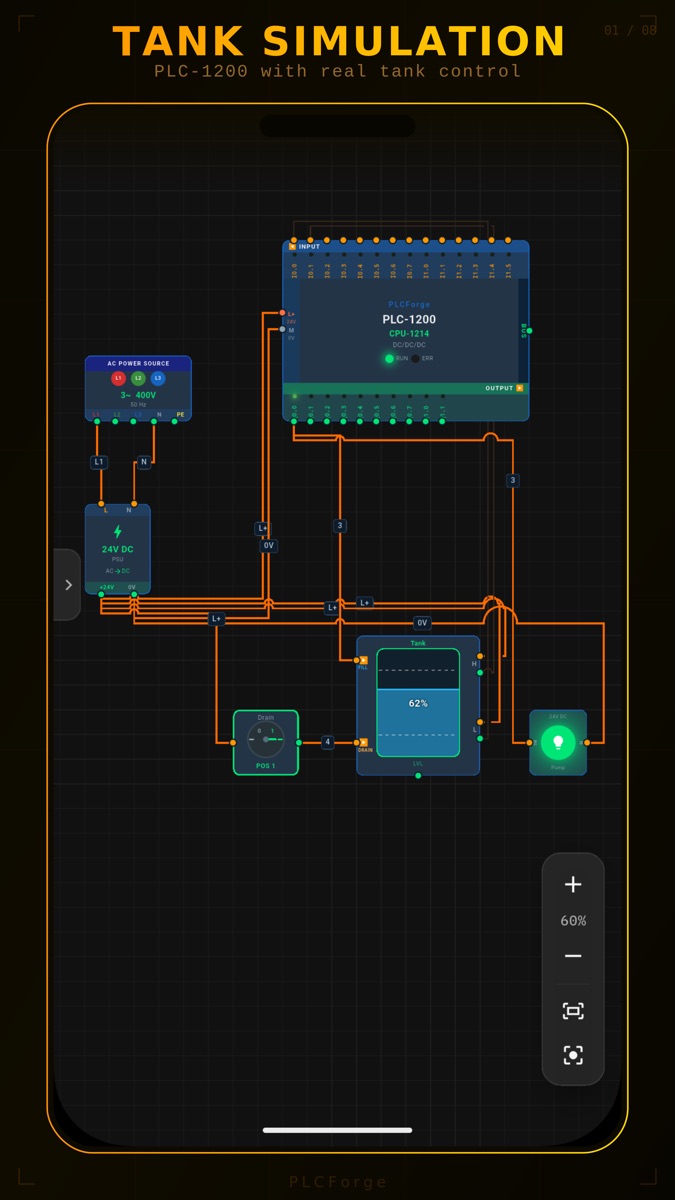
Place the components, pull the wires, write the ladder program and switch the power on. If the wiring is wrong, the motor does not turn.
Elemanları yerleştir, kabloları çek, ladder programını yaz ve enerjiyi ver. Bağlantı yanlışsa motor dönmez.
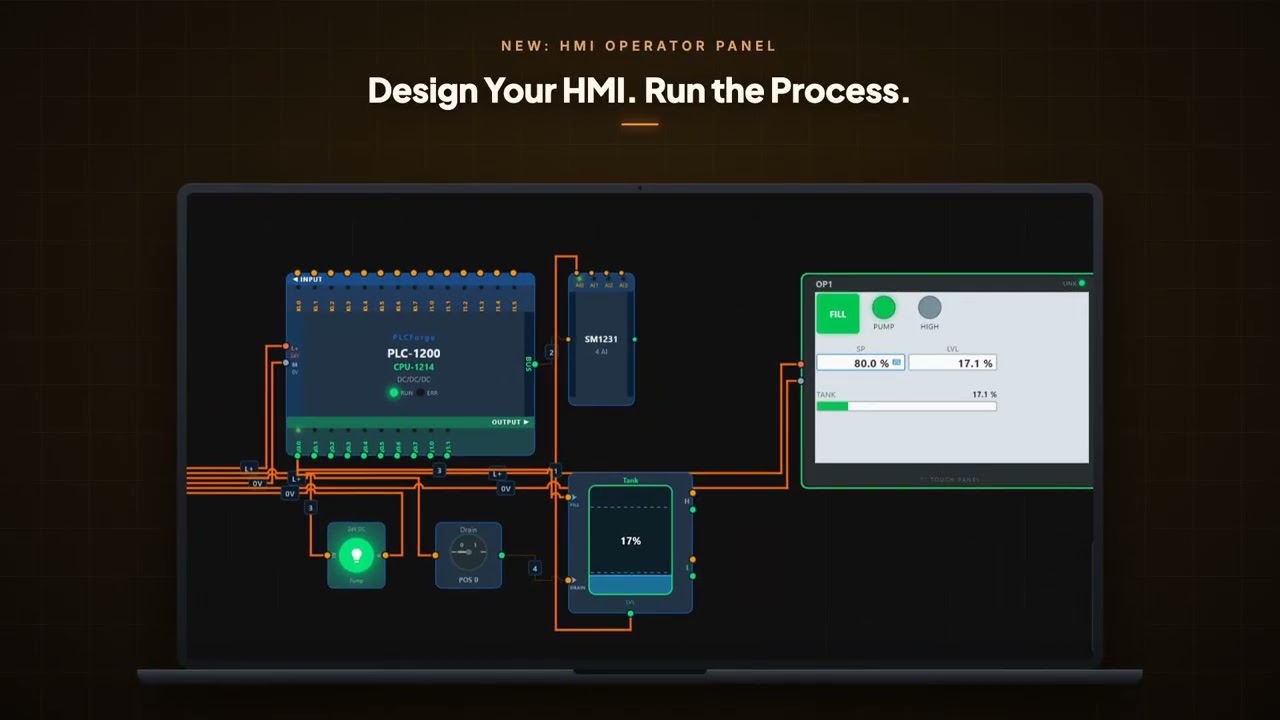
PANELReal control circuits. Breakers, contactors, thermal relays, buttons, selectors, sensors and motors on a 24 V DC and 400 V AC supply.PLCLadder editor. Contacts, coils, timers, counters and compare blocks, with a signal graph that shows each bit over time.HMIOperator panel. Buttons, lamps, value fields and machine symbols, connected to the PLC over Ethernet.AXISProcess and motion. Tanks, conveyors, servo drives and linear axes that respond to your outputs.LABGuided lessons and challenges. Ready templates to start from, and problems to solve on your own.FILESave and share. Keep projects as files, send them to a colleague, export the circuit as PNG or PDF.
PANOGerçek kumanda devreleri. 24 V DC ve 400 V AC beslemede sigortalar, kontaktörler, termik röleler, butonlar, seçici anahtarlar, sensörler ve motorlar.PLCLadder editörü. Kontaklar, bobinler, zamanlayıcılar, sayıcılar ve karşılaştırma blokları; her biti zaman ekseninde gösteren sinyal grafiği.HMIOperatör paneli. PLC'ye Ethernet ile bağlanan butonlar, lambalar, değer alanları ve makine sembolleri.EKSENProses ve hareket. Çıkışlarına tepki veren tanklar, konveyörler, servo sürücüler ve lineer eksenler.LABRehberli dersler ve meydan okumalar. Başlangıç için hazır şablonlar, tek başına çözmen için problemler.DOSYAKaydet ve paylaş. Projeleri dosya olarak sakla, arkadaşına gönder, devreyi PNG veya PDF olarak dışa aktar.
Free to try. One purchase unlocks everything, with no subscription and no ads.
Denemesi ücretsiz. Tek satın alma her şeyi açar; abonelik ve reklam yok.
A PLCForge project, in four steps
Dört adımda bir PLCForge projesi
Place
Drag a power supply, a PLC, buttons, a contactor and a motor onto the canvas.
Wire
Connect terminal to terminal: L1, N, 24 V, 0 V, inputs, outputs, A1 and A2.
Program
Open the PLC and write the rungs. Addresses match the terminals you wired.
Run
Switch on. Wires light up where current flows, and the machine moves.
Yerleştir
Güç kaynağı, PLC, butonlar, kontaktör ve motoru tuvale sürükle.
Bağla
Klemensten klemense kablo çek: L1, N, 24 V, 0 V, girişler, çıkışlar, A1 ve A2.
Programla
PLC'yi aç ve rung'ları yaz. Adresler, kablo çektiğin klemenslerle aynıdır.
Çalıştır
Enerjiyi ver. Akım geçen kablolar yanar, makine hareket eder.
PLCForge on Windows, 1 minute. The video loads from YouTube when you press play. Windows'ta PLCForge, 1 dakika. Oynat'a basınca video YouTube'dan yüklenir. Open on YouTubeYouTube'da aç
 PLC Learn
A ladder logic course that starts with what a PLC is and ends with you solving plant problems on your own.
PLC'nin ne olduğuyla başlayan ve tesis problemlerini tek başına çözmenle biten bir ladder eğitimi.
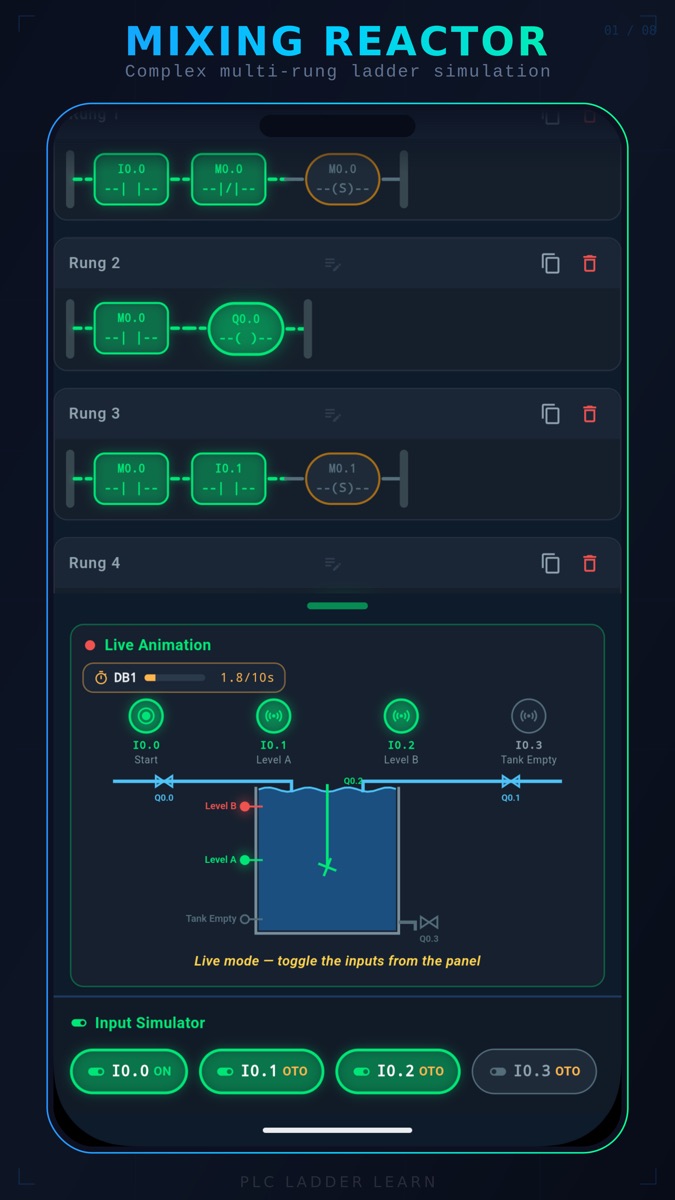
LESSONStep-by-step modules. Contacts and coils, latching, timers, counters, comparison and analog signals, each with a quiz.RUNLadder sandbox. Build rungs, toggle the inputs and watch the power flow.TASK50 practice problems. Mixing reactors, conveyors, alarms and pump stations, with a live animation of the machine you control.GRAPHSignal graph. See exactly when each input, output and timer changes state.
DERSAdım adım modüller. Kontak ve bobin, mühürleme, zamanlayıcılar, sayıcılar, karşılaştırma ve analog sinyaller; her modülün sonunda test.RUNLadder deneme alanı. Rung'ları kur, girişleri değiştir ve enerji akışını izle.GÖREV50 uygulama problemi. Karıştırma reaktörü, konveyör, alarm ve pompa istasyonu; kontrol ettiğin makinenin canlı animasyonuyla.GRAFİKSinyal grafiği. Her giriş, çıkış ve zamanlayıcının ne zaman durum değiştirdiğini gör.
Free to start. One purchase unlocks the full course. English, Türkçe, Português.
Başlaması ücretsiz. Tek satın alma eğitimin tamamını açar. English, Türkçe, Português.
Which one do I start with?
Hangisiyle başlamalıyım?
New to ladder logic: start with PLC Learn. Already reading rungs and want to build complete systems: go to PLCForge. Many people use both.
Ladder'a yeni başlıyorsan PLC Learn ile başla. Rung okuyabiliyor ve eksiksiz sistemler kurmak istiyorsan PLCForge'a geç. Birçok kişi ikisini birlikte kullanıyor.
| PLC Learn | PLCForge | |
|---|---|---|
| Best for | First steps in PLC programming | Building and testing complete systems |
| You work on | Lessons, quizzes and ladder problems | Wiring, ladder, HMI screens and machines |
| Hardware shown | Inputs, outputs and an animated process | Power, protection, PLC, HMI, drives, sensors, motors |
| Platforms | Android, iPhone, iPad | Android, iPhone, iPad, Windows |
| Languages | English, Türkçe, Português | English, Türkçe, Português, Español, Deutsch, العربية |
| PLC Learn | PLCForge | |
|---|---|---|
| Kime uygun | PLC programlamaya ilk adım atanlar | Eksiksiz sistem kurup test etmek isteyenler |
| Ne yaparsın | Dersler, testler ve ladder problemleri | Kablolama, ladder, HMI ekranları ve makineler |
| Donanım | Girişler, çıkışlar ve animasyonlu proses | Enerji, koruma, PLC, HMI, sürücüler, sensörler, motorlar |
| Platformlar | Android, iPhone, iPad | Android, iPhone, iPad, Windows |
| Diller | English, Türkçe, Português | English, Türkçe, Português, Español, Deutsch, العربية |
Frequently asked
Sık sorulanlar
Do I need a real PLC or any hardware?
No. Everything runs on your phone, tablet or PC. The apps simulate the PLC, the wiring and the machine.
Is it free?
Both apps are free to download and try. A single purchase inside the app unlocks the full content. There is no subscription.
I bought it on Android. Is it unlocked on iPhone or Windows too?
No. Google Play, the App Store and the Microsoft Store each handle their own purchases, so a purchase is valid on the store where you made it.
Does it work without internet?
Yes. PLCForge works fully offline and does not ask you to create an account. You only need a connection to download the app and to make the purchase.
Will what I learn apply to real PLCs?
Yes. The apps use standard ladder elements and I, Q and M addressing such as I0.0 and Q0.0, with TON, TOF and counter blocks. The same logic applies when you move to an industrial programming environment.
Can I use the apps in a classroom?
Yes. Teachers and trainers use them for lab work when there is not enough hardware for every student. Write to us and tell us about your class.
Gerçek bir PLC ya da donanım gerekiyor mu?
Hayır. Her şey telefonunda, tabletinde ya da bilgisayarında çalışır. Uygulamalar PLC'yi, kablolamayı ve makineyi simüle eder.
Ücretsiz mi?
İki uygulamayı da ücretsiz indirip deneyebilirsin. Uygulama içindeki tek bir satın alma tüm içeriği açar. Abonelik yok.
Android'de satın aldım. iPhone ya da Windows'ta da açık olur mu?
Hayır. Google Play, App Store ve Microsoft Store satın almaları ayrı ayrı yönetir; satın alma, yapıldığı mağazada geçerlidir.
İnternet olmadan çalışır mı?
Evet. PLCForge tamamen çevrimdışı çalışır ve hesap açmanı istemez. İnternet yalnızca uygulamayı indirirken ve satın alırken gerekir.
Öğrendiklerim gerçek PLC'lerde işe yarar mı?
Evet. Uygulamalar standart ladder elemanlarını, I0.0 ve Q0.0 gibi I, Q ve M adreslemesini, TON, TOF ve sayıcı bloklarını kullanır. Endüstriyel bir programlama ortamına geçtiğinde aynı mantık geçerlidir.
Uygulamaları sınıfta kullanabilir miyim?
Evet. Öğretmenler ve eğitmenler, her öğrenciye yetecek donanım olmadığında laboratuvar çalışması için kullanıyor. Bize yaz, sınıfını anlat.
Found a bug, or teaching a class?
Bir hata mı buldun, ders mi veriyorsun?
Write to us about problems, feature requests, or using the apps in a school or training centre. We read every message.
Sorunlar, özellik istekleri ya da uygulamaların okulda veya eğitim merkezinde kullanımı için bize yaz. Her mesajı okuyoruz.